Zenvlo Engage guide
Create your account and workspace
Sign up, verify your email and choose how you will use Engage. It takes about five minutes.
Sign up
- 1Open Zenvlo Engage and choose Sign up.
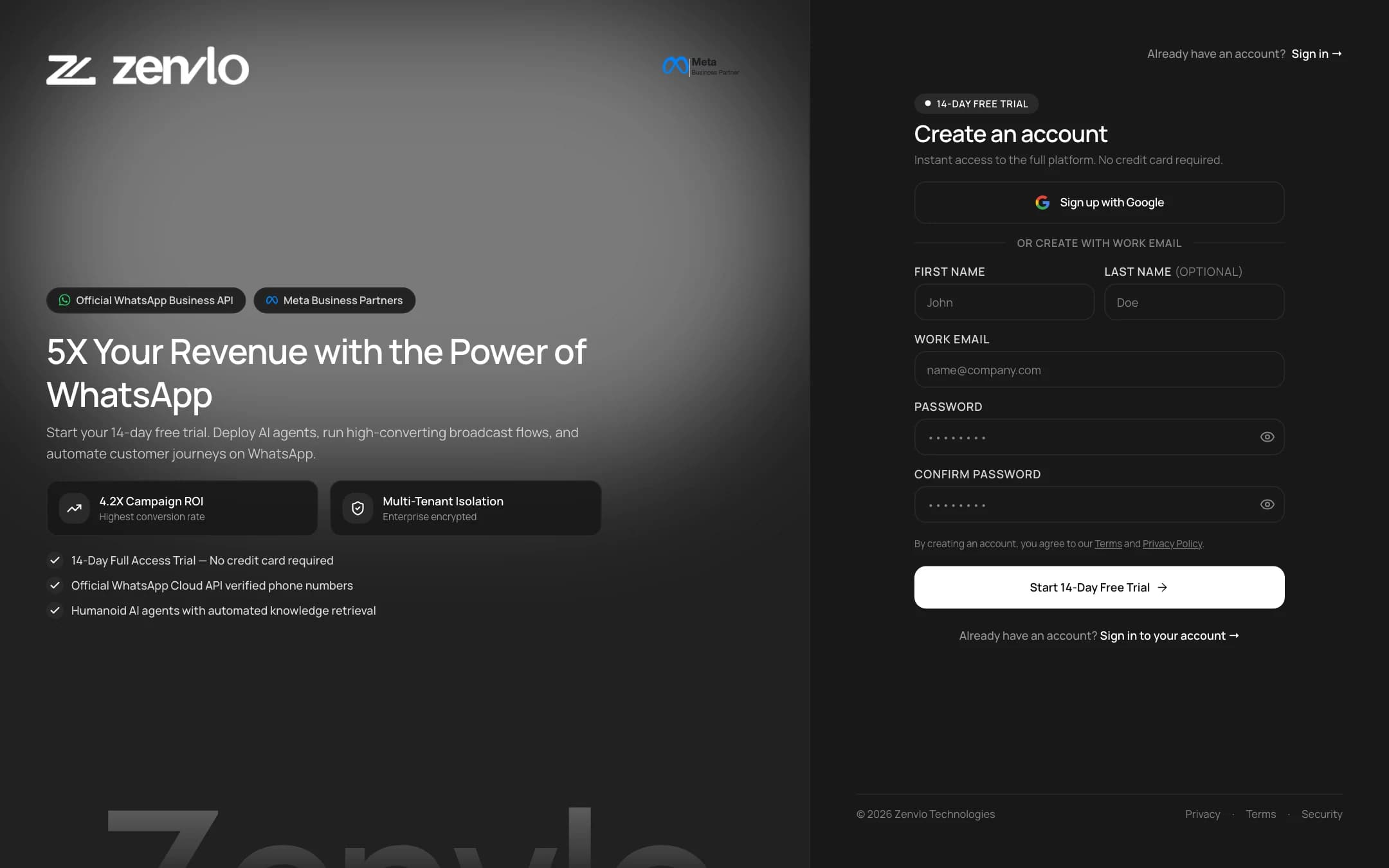
- 2Fill in First name, Last name, Email, Password and Confirm password.
- 3Press Start 14-Day Free Trial. Every new workspace starts with a 14-day trial of the Growth plan.
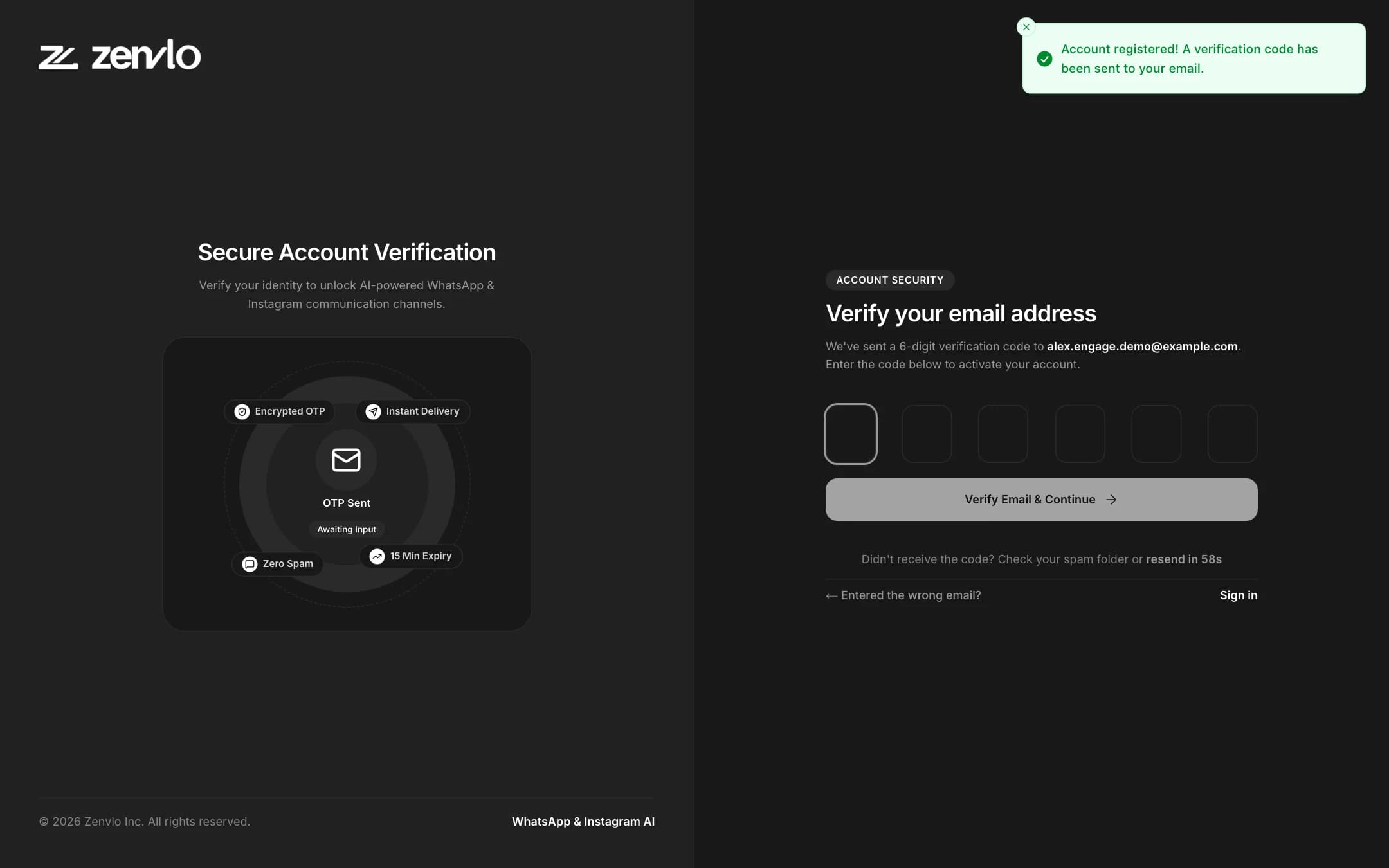
- 4We email you a 6-digit code. Type or paste it on the next screen. It submits by itself after the sixth digit. If it does not arrive, wait for the countdown and press resend.
Choose how you will use Engage
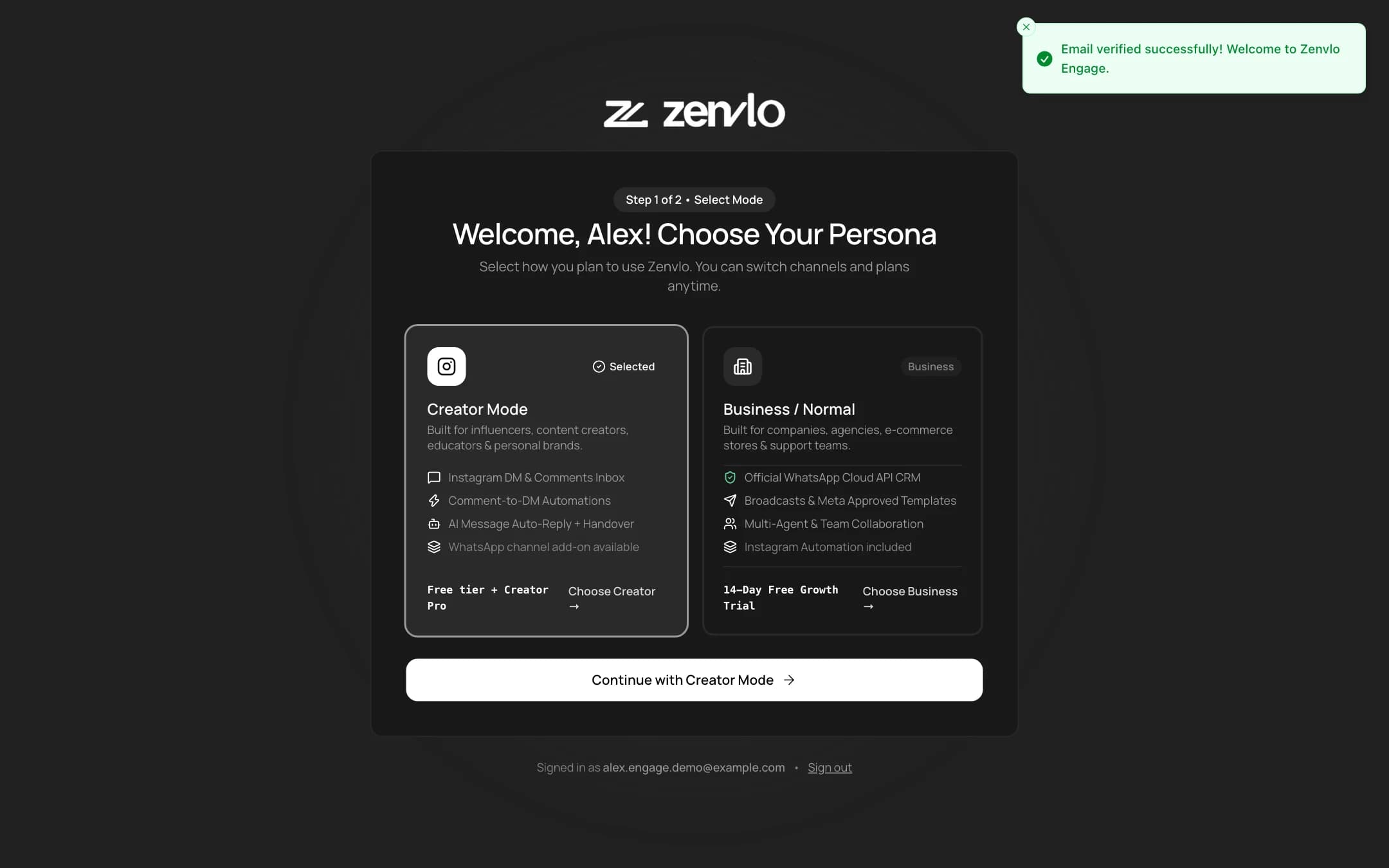
After you verify your email, a short setup asks you to pick a mode. You can change it later from the top bar.
| Mode | Best for | What you get |
|---|---|---|
| Business | Shops, clinics, agencies and teams that talk to customers on WhatsApp | WhatsApp inbox, broadcast campaigns with approved templates, automations, AI agents, Shopify ecommerce suite |
| Creator | Creators and brands that grow on Instagram | Instagram inbox, comment-to-DM automations, AI replies, giveaway picker, audience list |
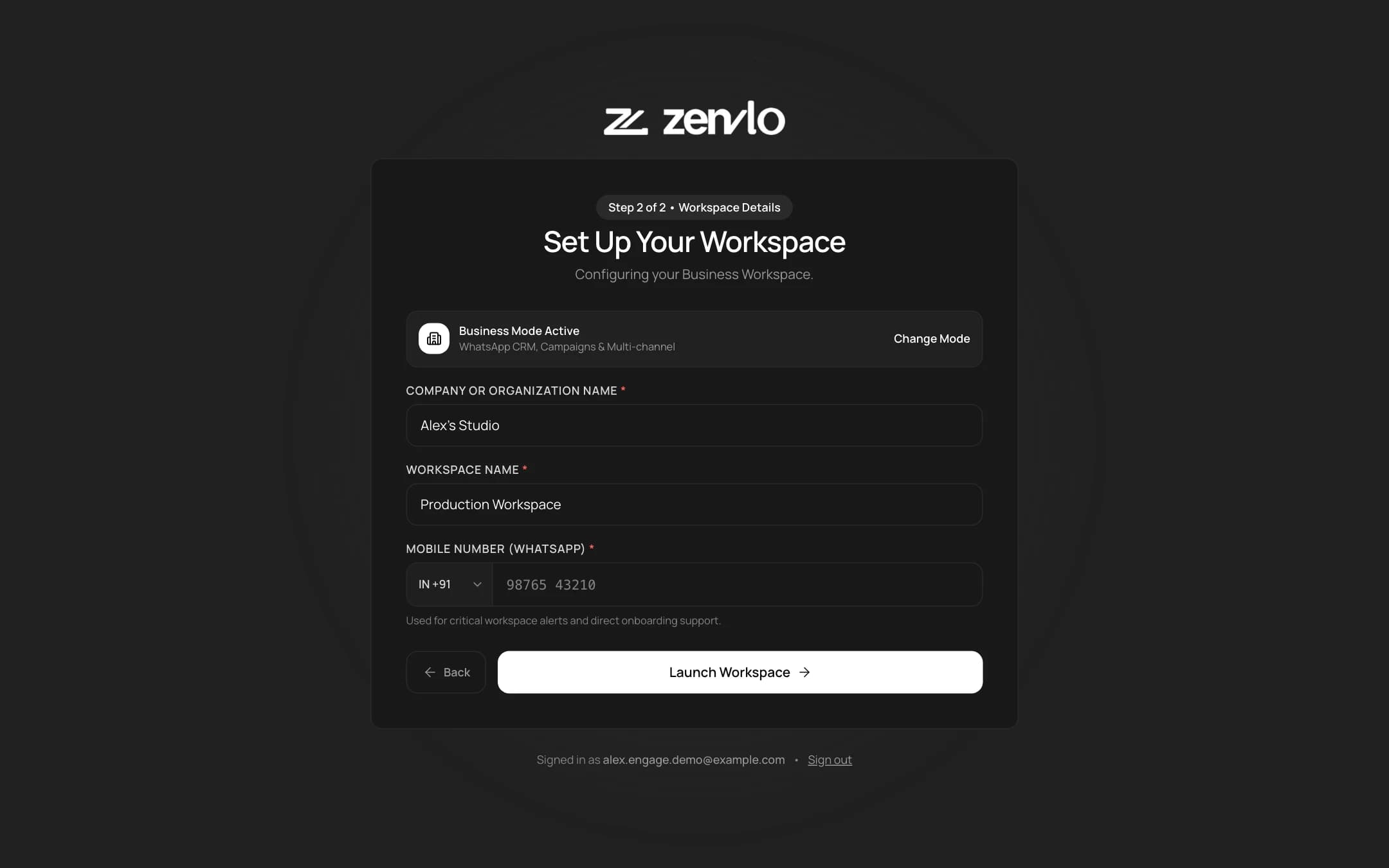
Next, fill in Company or Organization Name (creators see Creator Brand / Channel Name), a Workspace name and your mobile number with country code. Press Launch Workspace.
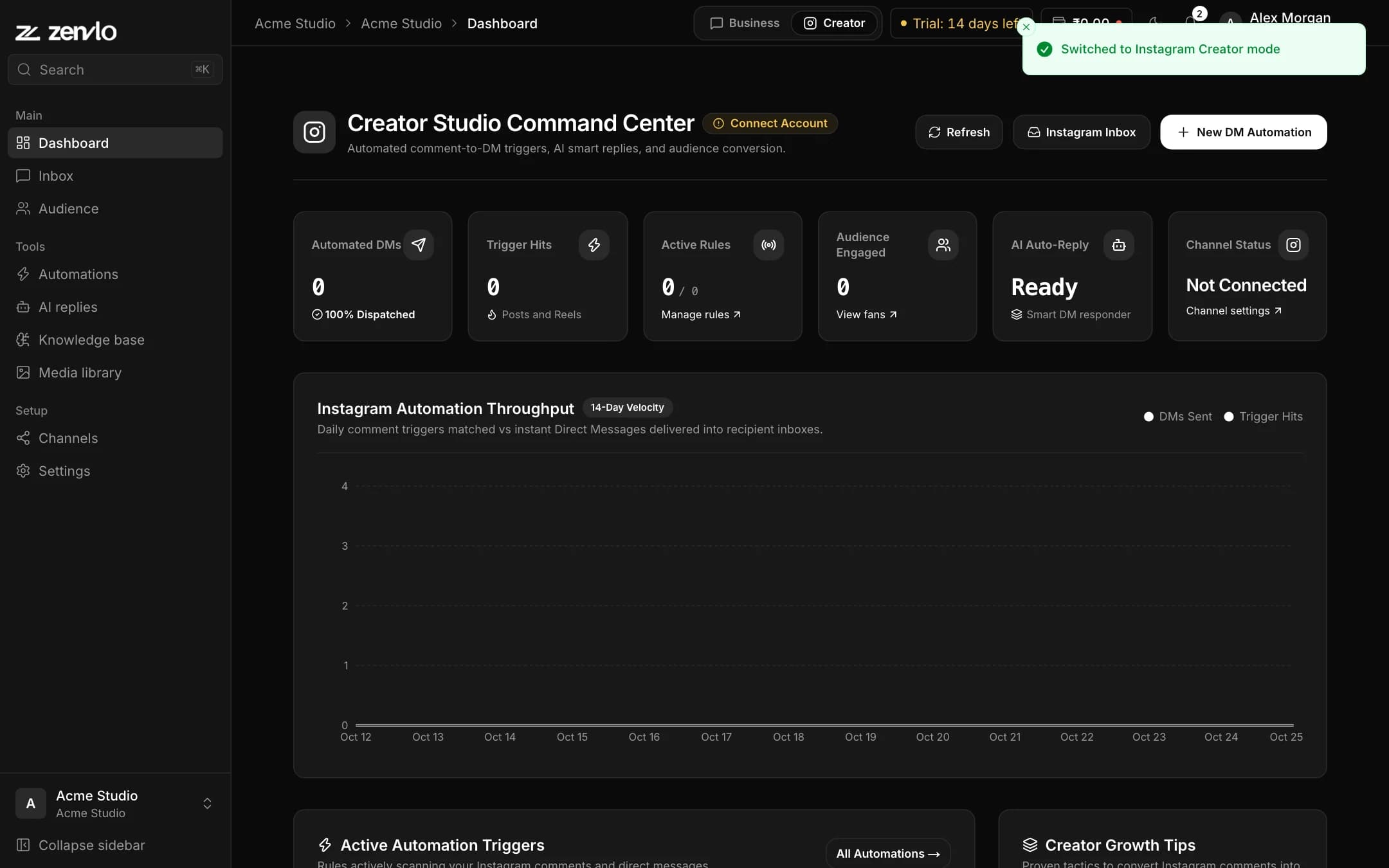
What you see in the sidebar
| Business mode | Creator mode |
|---|---|
| Dashboard, Inbox, Contacts | Dashboard, Inbox, Audience |
| Campaigns, Templates, Automations, AI agents, Knowledge base, Media library, Commerce | Automations, AI replies, Knowledge base, Media library |
| Channels, Settings | Channels, Settings |
Next step: connect your number or account to Meta. WhatsApp is in the next guide, Instagram after that.
Stuck? Talk to us and a real person will help.