Zenvlo Engage guide
Invite your team
Add teammates and choose what each person can do.
- 1Open Settings, then Team members.
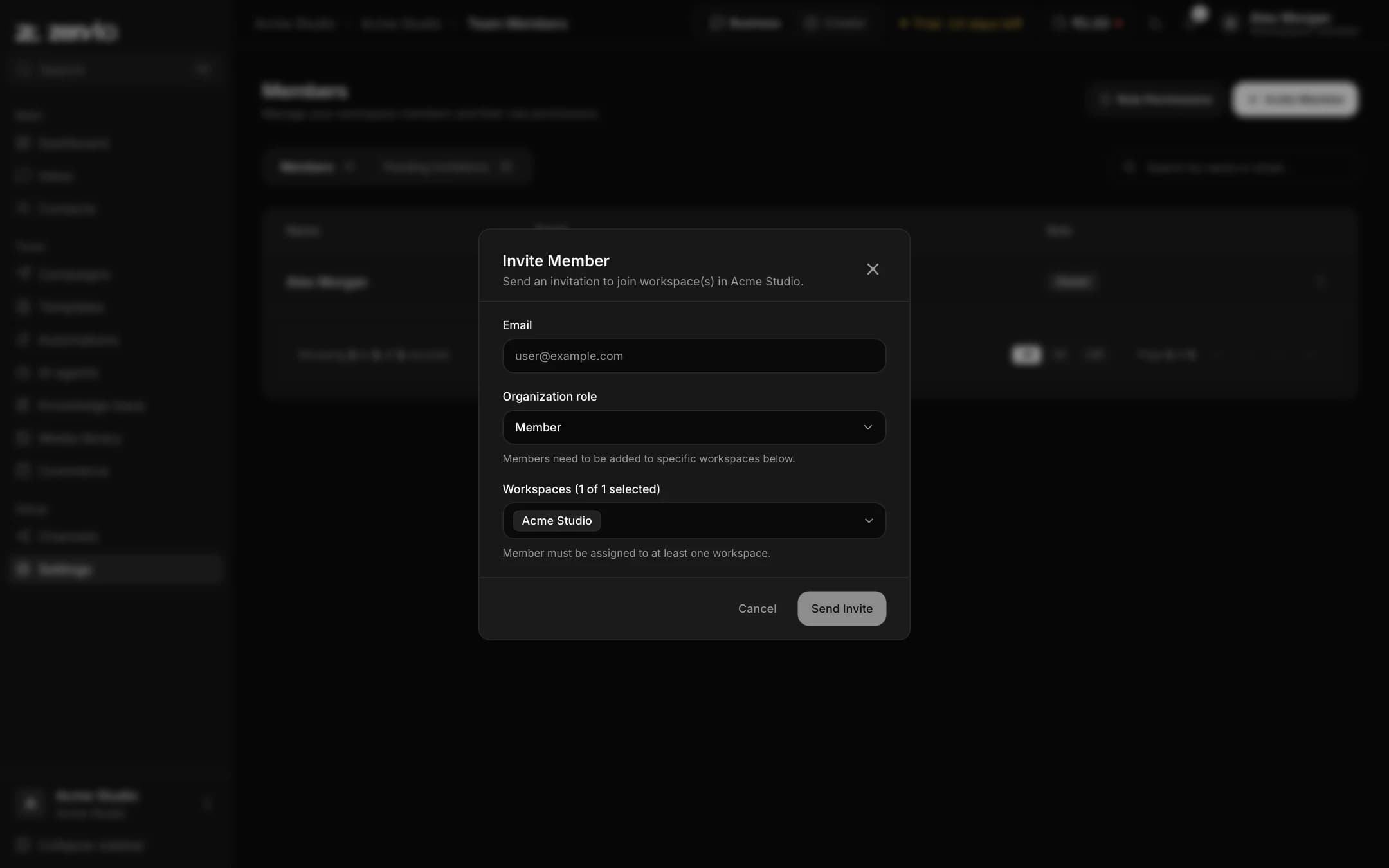
- 2Press Invite Member, enter their email and choose a role.
- 3They get an email with a link. The invitation shows under Pending Invitations until they accept, and it expires if unused.
| Role | Can do |
|---|---|
| Owner | Everything, including billing and deleting the workspace. |
| Admin | Manage team, channels, campaigns, automations and contacts. Cannot change billing or delete the workspace. |
| Developer | API keys, webhooks and technical views. Cannot invite people or touch billing. |
| Member | Day-to-day work such as the inbox and contacts. |
Open Role Permissions on the page for the full list. Your plan sets how many team seats you have.
Under Settings you will also find Organizations, Billing and plans, Developer API, and the Appearance setting for Light, Dark or System theme.
Stuck? Talk to us and a real person will help.