Zenvlo CRM guide
Set up your company
Tell Zenvlo your company name, time zone and currency so dates and money show correctly.
Open Settings in the sidebar, then the Company Settings tab.
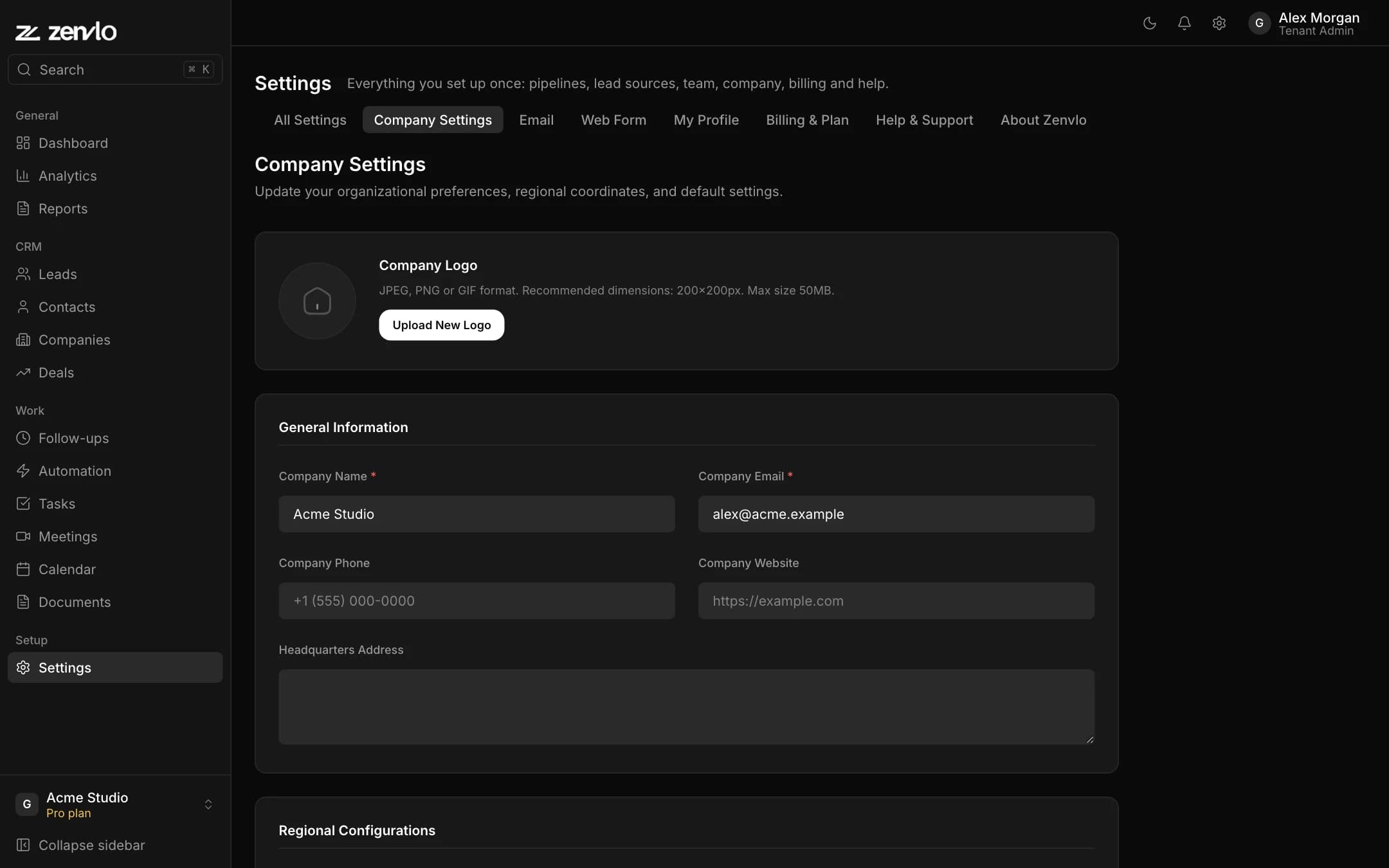
| Field | What it does |
|---|---|
| Company Logo | Shown in your workspace. Keep the file small. |
| Company Name and Company Email (required) | Identify your workspace. |
| Company Phone, Website and Headquarters Address | Optional details. |
| Timezone | Controls when "today" starts for dashboards, follow-ups and reminders. |
| Base Currency | The currency for deal values and reports. |
| Date Format and Time Format | How dates and times are displayed. |
Press save. You will see Company Settings Updated.
Your own profile
Open the My Profile tab to change your photo, name, phone and password. Your email cannot be changed here.
Stuck? Talk to us and a real person will help.