Zenvlo CRM guide
Plans and billing
What your plan includes, how to see your usage and how to upgrade.
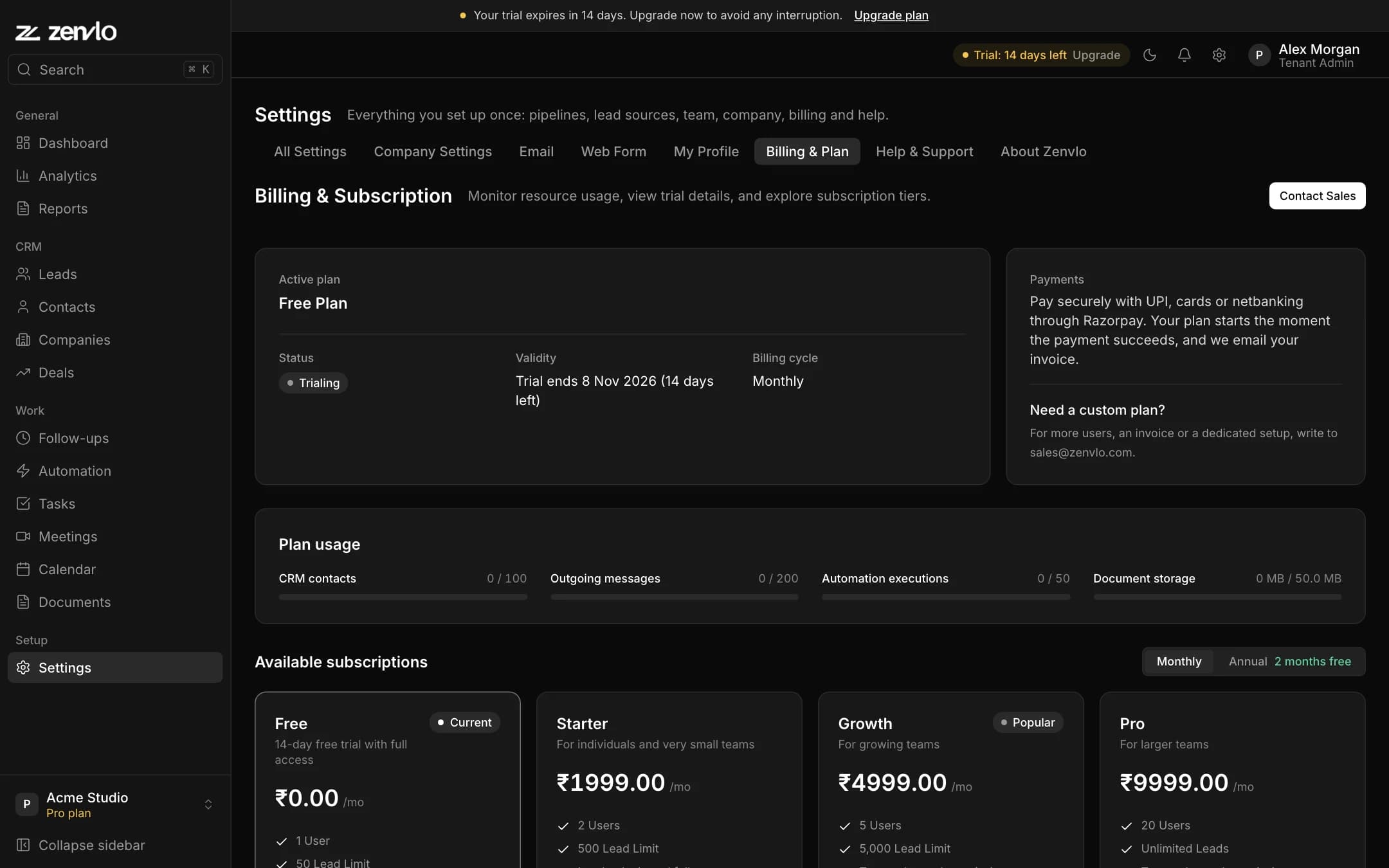
Your plan and days left are always shown at the bottom of the sidebar and at the top of the Dashboard. Open Settings, then Billing & Plan for the details.
- Active plan, Status, Validity (when it ends) and Billing cycle.
- Plan usage: contacts, messages, automation runs and document storage against your limits.
| Plan | Users | Leads |
|---|---|---|
| Free | 1 | 100 |
| Starter | 3 | 2,000 |
| Growth | 10 | 10,000 |
| Pro and Enterprise | Set up with you | Unlimited |
Workflow automation, web forms and revenue goals are on Growth and above. On Free or Starter these screens show what the feature does and a See plans button. Everything else works on every plan. Compare features on the pricing page.
Upgrade and pay
- 1Open Settings, then Billing & Plan. Only people who can change settings can pay, so ask an admin if the button is off.
- 2Choose Monthly or Annual. Annual is two months free.
- 3Press Pay and upgrade on the plan you want.
- 4The Razorpay payment window opens. Pay with UPI, a card or netbanking.
- 5When the payment succeeds your plan starts straight away. You will see “Your plan is active. We have emailed your invoice.” and the invoice PDF arrives by email.
Plans are paid in Indian rupees and renew when you pay again. We email a reminder before your plan ends, and you can still open Billing after it ends so you can upgrade and pick up where you left off.
Stuck? Talk to us and a real person will help.