Zenvlo CRM guide
Send email from your own address
Connect Gmail, your own mail server or Resend so CRM emails come from you.
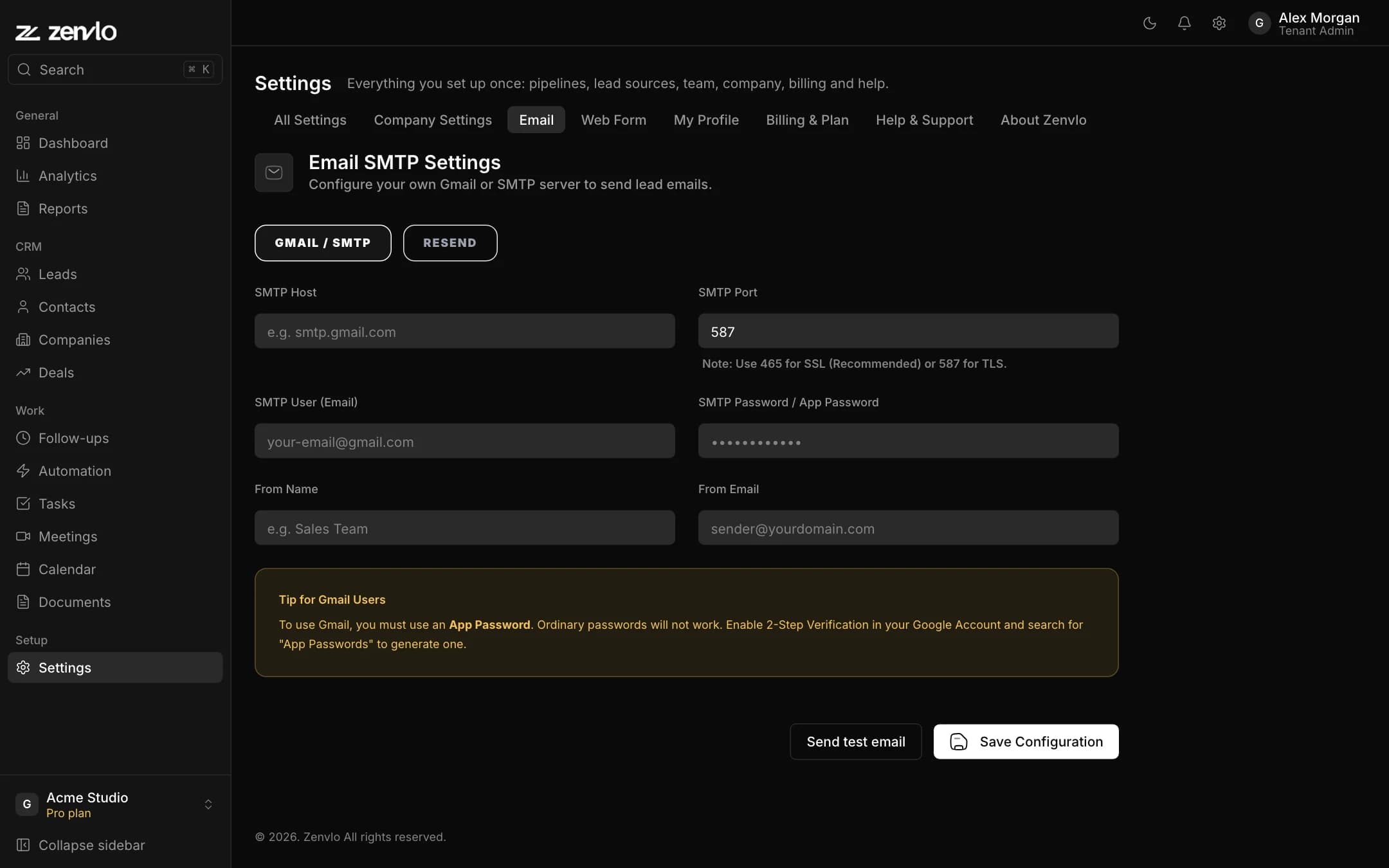
Open Settings, then the Email tab. Choose GMAIL / SMTP or RESEND.
With Gmail or your own SMTP server
- 1Enter SMTP Host (for Gmail,
smtp.gmail.com). - 2Enter SMTP Port. Use 465 for SSL or 587 for TLS.
- 3Enter your SMTP User (your email) and SMTP Password / App Password.
- 4Enter a From Name (for example "Sales Team") and From Email.
- 5Press Save Configuration, then Send test email to check it works.
With Resend
Choose RESEND, paste your Resend API Key, and set From Name and From Email. Use a sender address on a domain you have verified with Resend.
Once saved, the Send Email button on a lead, contact or company sends from this address and the email is kept in the record’s timeline. System emails such as sign-in and reset links always come from Zenvlo.
Stuck? Talk to us and a real person will help.