Zenvlo CRM guide
Capture leads from your website
Send leads from any website form straight into your CRM, with follow-ups created for you.
Every workspace has a secret API key. Your website sends a form to Zenvlo with that key, and a lead appears in Leads with the source website.
Get your key
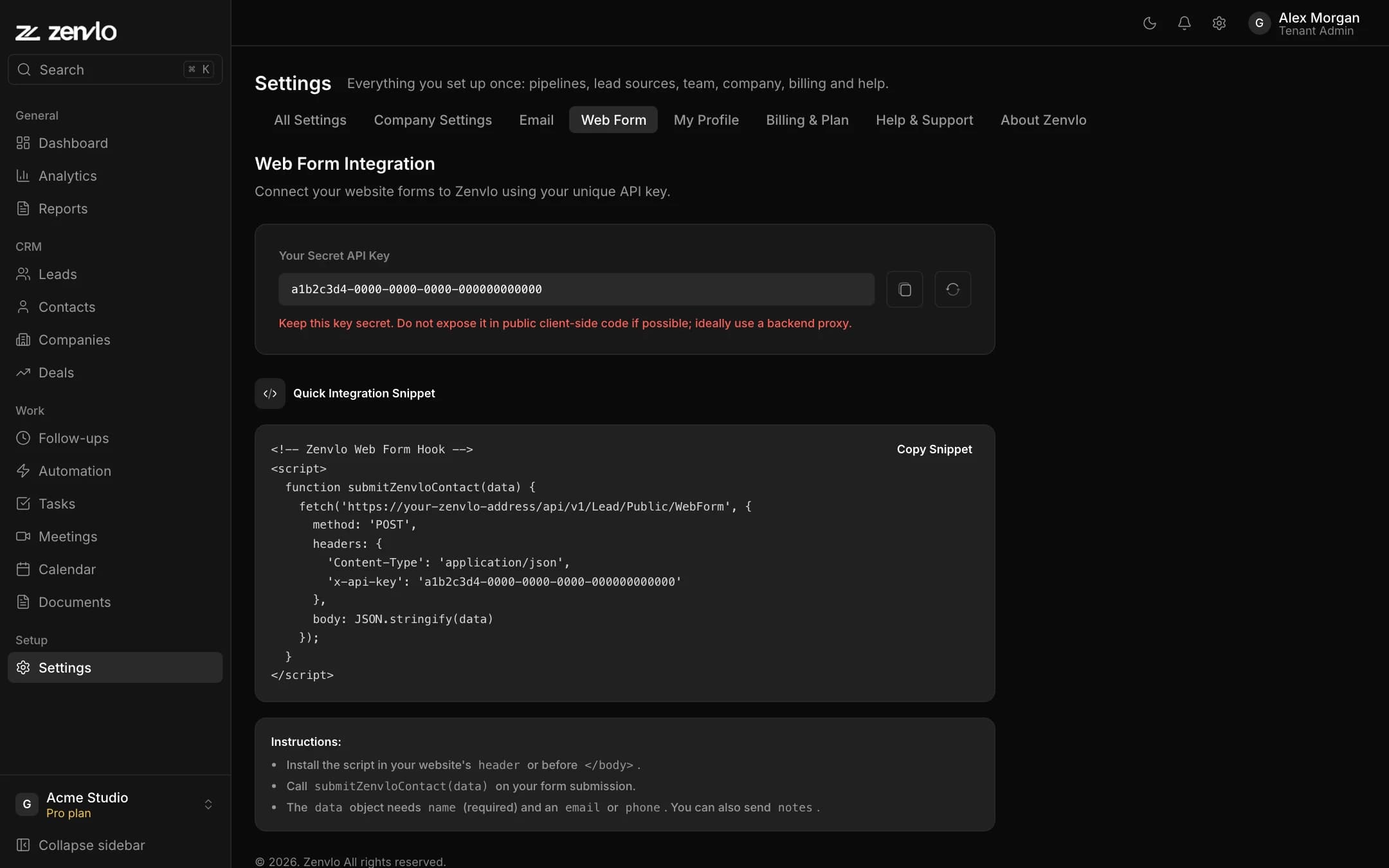
- 1Open Settings, then the Web Form tab.
- 2Copy your Secret API Key, or press the refresh button to make a new one. A new key stops the old one working straight away.
- 3Press Copy Snippet to copy a ready-made script.
Send a lead
Your website posts JSON to your Zenvlo address, with the key in the x-api-key header.
| Field | Notes |
|---|---|
name | Required. |
email or phone | You must give at least one. |
notes | Optional message or details. |
A new lead gets the first stage of your lead pipeline, is assigned by your assignment rules, and gets three follow-ups at day 1, 3 and 7. You see Lead captured successfully on success, or a clear message such as Email is not valid.
Stuck? Talk to us and a real person will help.